Gallop places each student independently in Math, English, Science, Social Studies and Spanish, teaches the concept before it tests it, and shows you exactly who is stuck and on what. 1,290 skills, K–12, every one mapped to a recognized standard, plus The Lab, where students use the math on money, business and careers.
A pilot on your own students, then a per-student quote · Nothing to install · We sign your district's data agreement
Built for three kinds of school
A district curriculum director, a charter head and a homeschool co-op lead are not buying the same thing. Here is the honest answer for each.
Curriculum & instruction · Title I · MTSS
Heads of school · academic directors
Co-op leads · tutors · university-model schools
What a student gets
These figures are recounted from the curriculum itself every time the site is built, so they cannot quietly go stale.
Every skill opens with its own lesson: 1,290 skills, 1,290 lessons, none shared. Two used to be: rhyming in kindergarten and again in first grade, and the weather unit across the same two years, and the rewrite gave each of them a lesson written for that grade.

Math (282 skills), English (272), Science (261), Social Studies (266) and Spanish (208): Kindergarten through Grade 12, in one license. Every skill opens with a short guided lesson: see it, hear it, do it. Only then does the tutor ask anything.
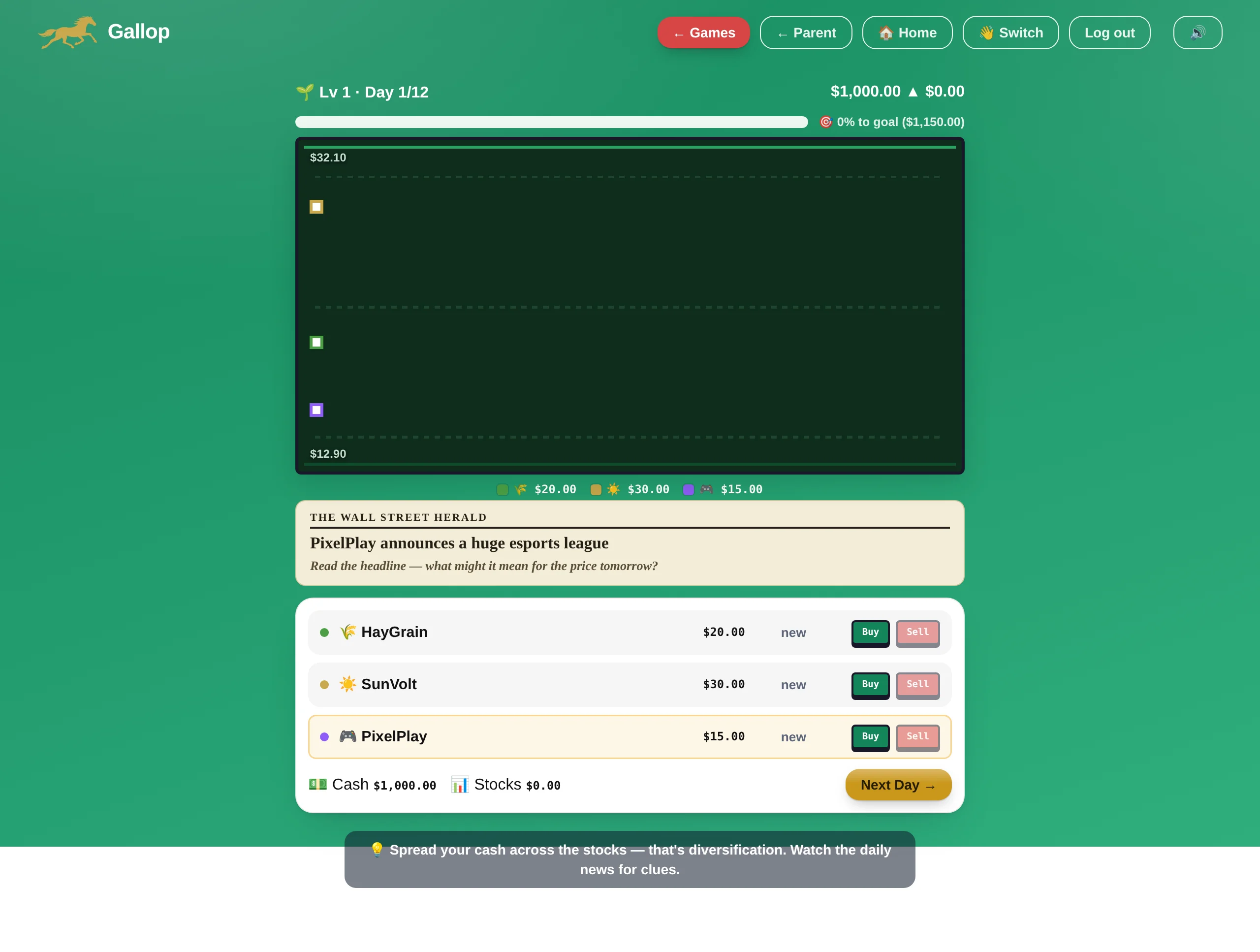
Most programs place, drill and advance. The Lab is where a student spends the skill: pricing a product, reading a market, choosing a career path. It is the part that answers “when will I ever use this,” and it covers the personal-finance requirement a growing number of states now mandate.
What a teacher gets
No roster import to schedule, no IT ticket, no training day. Everything below is in the product today.
Name the class, pick a grade, then either paste a list of first names or hand out a six-character join code students type in themselves. Every student gets a 4-digit PIN. That is the whole setup.
One row per student: answers this week, accuracy, minutes, streak, working level in each of the five subjects, and a flag when someone needs help, with the concept named, not just a red dot.
Point the whole class at a skill or a subject with a note, and it leads every student's daily plan under “From your teacher”, while the tutor still adapts the difficulty to each child.
Open any student: level and accuracy by subject, what they are stuck on, the lesson that teaches it, and a button to open the app as that student to see exactly what they see.
A printable single-student report for parent conferences and a printable whole-class summary, both one click, both designed to be handed to somebody on paper.
Once a week: who was active, the week's accuracy, the students who need support and the concept each is stuck on, who moved up a grade, and three concrete things to do Monday. Nothing sends if the class was quiet.
Also included: CSV export of the whole roster, PIN resets, a per-student fresh start, and a self-join toggle so you can close a class code once everyone is in.
What an administrator gets
Teachers join a school with a code; the head of school sees across all of them without being able to quietly edit anyone's class.
Students, classes, active today, and how many need support, then a breakdown by grade (students, answers this week, accuracy, students needing support) and by subject across the whole school (average working level, accuracy, how many are placed).
Exportable as CSV and printable as a school report you can put in front of a board.
A teacher and a parent looking at the same child see the same accuracy figure, computed the same way. Work a student did with an adult sitting beside them counts as engagement and is excluded from every accuracy and mastery number in the product, including yours.
Nothing in the reporting is rounded up for the sake of a nicer chart.
Classes and student histories belong to the school, not to the teacher who created them. A head of school can see every class, export every roster, and reassign as staff come and go.
Roster and progress export as CSV at any time, at class or school level, with no request to file and no fee. If you leave, you take your records with you and we delete ours.
The part most programs skip
Any adaptive program can produce a rising line. The question a school should ask is what the line is made of, because a certificate that costs a dozen lucky answers is worse than no certificate at all. Here is exactly what Gallop requires, in plain numbers.
| The claim | What the engine actually requires before it will say it |
|---|---|
| “This is your level” | Placement starts at the grade the student is enrolled in and never seats anyone below it. Six multiple-choice questions cannot tell a struggling child from a nervous one, and the daily engine can, on far more evidence. To be seated above the enrolled grade a student must answer six questions at that higher grade with at least 80% correct. The correct answer is never sent to the browser; the server records the question it asked and grades the answer itself. |
| “This skill is mastered” | Mastery is 80% on a skill, built from real attempts. A wrong answer counts against it. Three consecutive misses open a Skill Drill that re-teaches the concept and only closes on three correct answers in a row, worked independently. |
| “…and they remembered it” | A mastered skill comes back on its own about three days later and again about a week after that. Both of those Memory Checks must pass before the skill counts toward a grade. Mastery is a claim about a moment; this is the part that makes it a claim about learning. |
| “Grade complete” | Every skill in the grade mastered and re-proven on two later days, roughly 120–180 answers at that grade depending on subject, evidence spread across at least two separate days (three when climbing above the enrolled grade), and 85% recent accuracy, or 90% to climb past the grade the student is enrolled in, because that certificate makes a claim about a child being ahead of their class. |
| “This is their accuracy” | Work done with an adult sitting beside them is recorded as engagement and excluded from every accuracy, mastery, placement and score figure in the product, on the teacher's screen, on the parent's screen and in every email. |
Practically: a grade takes weeks of real work, not a good afternoon. That is deliberate. A program a school can defend to a parent has to be one where the certificate meant something.
Standards alignment
Not “aligned to” as a claim on a slide. All but one skill in the curriculum carries the code of the standard it serves, and the whole map is public, searchable and printable. The exception is named on the map: a grade-4 solar system unit, offered as enrichment because NGSS sets no grade-4 expectation for the solar system. We would rather you read that from us than find it yourself.
Common Core (CCSS-M) across K–12, including the Standards for Mathematical Practice, with an AP/advanced bucket for material beyond the core.
Common Core (CCSS-ELA): reading literature and informational text, language, and writing, K–12.
NGSS, including Disciplinary Core Ideas and Science & Engineering Practices, plus state framework codes where a topic sits outside NGSS.
The C3 Framework: the inquiry, civics, economics, geography and history dimensions states build their standards on.
ACTFL World-Readiness Standards, with the proficiency sub-level named for each skill.
The full alignment map is a public page: subject by subject, grade by grade, skill, standard code and what the standard requires. Print it and hand it to your curriculum office.
Gallop is not affiliated with, and is not endorsed by, NGA Center/CCSSO, Achieve, or ACTFL. Standard codes are used to describe alignment; the full attribution and trademark notice is on the standards page.
Privacy, security & procurement
Answered here, and in writing on our school data page, which you are welcome to send straight to counsel.
On the family side, the parent creates the account and confirms consent by clicking a link we email them; no learner profile can exist before that. On the school side, the school provides that consent on the parent's behalf for a strictly educational purpose, which COPPA permits, and in exchange we commit in writing that classroom data is used only to deliver the service to that school, never for advertising, never for profiling, never sold.
For classroom accounts Gallop acts as a school official with a legitimate educational interest under the FERPA school-official exception. Your school stays in control of the records: it decides who may see them, can export them or delete them at any time, and we use them for nothing but running the service for you.
A first name, a grade, an avatar, and a 4-digit PIN, plus the learning activity the student generates by using it. That is the list.
We do not collect a child's email address, phone number, precise location, photographs, or any free-form writing.
No advertising anywhere in the product. No sale or rental of personal information, ever. Nothing about a child (not a name, not a score, not the fact that a learner profile exists) is sent to any advertising or analytics platform. Our code refuses to fire a marketing tag while a learner is signed in; that is a technical boundary in the product, not only a line in a policy.
A child cannot send free text to another person or to any AI anywhere in Gallop. The adaptivity is a scoring engine choosing the next question from structured activity (which answers were right, which skills are shaky), not a chatbot in conversation with a child. Children's learning data is never sent to any third-party AI service.
All traffic over HTTPS. Parent and teacher passwords hashed with scrypt; student PINs stored hashed. Nightly encrypted backups. Personal data kept only while the account is active.
Sub-processors are limited to what runs the service: hosting, email delivery, and payment processing. No student data reaches the payment processor.
Remove a student from a class and their record goes with them if you ask it to; delete the account and everything goes. Roster and progress export to CSV at class or school level whenever you want, with no request to file and no fee. Leaving should never mean losing your records or paying to get them.
Built to WCAG 2.1 AA and Section 508, including the classroom tools, with read-aloud on every question and full keyboard navigation. Our accessibility statement is deliberately candid. It includes a section naming what we have not yet verified with real assistive-technology users. Ask for it and we will send it as the honest basis for a VPAT.
We will review, complete and sign your district or state data privacy agreement, including state addenda. If it is easier to start from ours, our standard student-data commitments are published in full.
Gallop Learning Academy is operated by Lotus Farm LLC, a small US company run by the two people who built the product. There is no data broker in the stack and no third-party ad SDK in the app. If something breaks, you email the founders.
Getting started
Every school, co-op and microschool starts the same way: a fixed pilot window on your own students, with the full product and the full reporting. The paperwork can run alongside it.
The form below, or a 15-minute call. We open your pilot, usually the same week.
Name it, pick a grade. You get a join code straight away.
Paste a list of first names, or hand out the code and let them join themselves.
Each student places into their real level per subject. The roster fills in as they work.
A walkthrough on your grades and your subjects, with the founders, not a rep.
Send us your DPA and state addendum while the pilot runs. We complete and sign.
Real students, real reporting, a fixed window, and a quote sized to what you actually saw.
Teachers join the school with one code; the administrator gets the roll-up, the exports and the printed report.
School pricing
Everything is in every plan. All five subjects, every guided lesson, The Lab, the Advanced Track and the full reporting. There are no per-subject add-ons and no setup fees. Every school starts with a pilot, and the quote comes from what the pilot showed.
A class, a grade or a co-op, for a fixed window
Per student, quoted to your size
Per student, quoted to your enrollment
For context on scale: a single-subject learning-center membership commonly runs $150–$200 per student per month and private tutoring $40–$80 an hour. Gallop covers five subjects plus The Lab. Our own family plans are $34–$54 a month for one to four children, and school pricing is built well below that per student. (Comparison figures reflect commonly published US rates as of 2026 and vary by provider and location.)
Honest comparison
You are going to ask this anyway, so here it is written down.
| What you need | Gallop | The usual alternative |
|---|---|---|
| Five subjects on one license | Included: Math, English, Science, Social Studies, Spanish | Usually one product per subject, priced separately |
| A lesson before the practice | 1,290 of 1,290 skills open with a guided lesson; no question appears without one behind it | Many drill platforms assume the teaching already happened |
| Standards you can audit line by line | 1,290 of 1,290 skills carry a code, on a public printable map | Often a claim of alignment with no per-skill evidence |
| Retention, not just first-time correctness | Two spaced Memory Checks required before a skill counts | Mastery is usually declared on the day it is reached |
| Financial literacy and career readiness | The Lab, included | A separate purchase, or a course somebody has to build |
| Live rostering from your SIS | Not yet: join codes and paste-a-list today, and CSV out | Large platforms offer Clever, ClassLink or OneRoster sync |
| Single sign-on with Google or Microsoft | Not yet. Students use a first name and a 4-digit PIN | Standard on enterprise platforms |
| Published third-party efficacy research | None. We will not claim a study we have not run | Larger vendors often have ESSA-tiered evidence |
| Reaching the founders the same day | Ordinary | Unusual |
If SIS rostering, SSO or ESSA-tiered evidence is a hard requirement for your purchase, say so on the first call and we will tell you straight whether we are the right fit this year. We would rather lose the sale than be the fourth platform nobody uses.

From the founders
We're Steve and Lin. We built Gallop for our own daughter after a tutoring center where, honestly, it never seemed like anybody was actually looking after her. That is the whole design brief: a tutor that is visibly paying attention, and a report a parent (or a principal) can check rather than take on faith.
There is no faceless edtech company behind this. When your school works with us you are working with the two people who wrote it, and who would rather tell you Gallop is the wrong fit than sell you a license that sits unused.
Steve & Lin Jerome, Gallop Learning Academy
Questions from schools
Getting started & IT
Any modern web browser: Chromebooks, iPads, laptops or desktops. There is nothing to install, no app to push through MDM, and no plugin. Gallop is a web app, so a deploy reaches every device at once and nobody is ever running an old version.
Ordinary HTTPS to learnwithgallop.com. No special ports, no streaming video bandwidth, no local server. If your filter allows the site, you are done. It also holds up on slow connections. The app caches itself so a dropped signal mid-question is not a lost session.
A first name and a 4-digit PIN, on a class join code. Deliberately simple: young children cannot manage a password, and the less we collect about a child the less there is to protect. Teachers can regenerate any student's PIN in one click.
Not today. Rostering is a paste-a-list import or a self-join code, and export is CSV. For a single school this is genuinely faster than a sync; for a district of thousands it is a real limitation and we will say so on the first call rather than after you have signed.
About five minutes for a class. Name it, pick a grade, paste your first names or share the code. There is no training day and no onboarding project plan, because there is nothing to configure.
Teaching & the classroom
No, and it is built not to. Every skill opens with a guided lesson before a single practice question, every skill names the standard it serves, and assignments let a teacher point the class at exactly what was taught this week. It is the practice, the re-teaching and the patient repetition a full classroom does not always have time for.
That is the case it is built for. Placement runs per subject, so the same child can be working at fourth-grade reading and second-grade maths, and every question adapts from there. Nobody waits for the room and nobody drowns.
The placement will not seat a student below their enrolled grade. Six questions cannot reliably tell a struggling child from a nervous one. The daily engine does that job instead, on far more evidence: it moves a student down a grade only after ten at-level answers spanning two separate days, and the report says plainly what is happening rather than hiding it. Meanwhile the Skill Drill catches the specific concept within three answers.
Yes. Set an assignment on a skill or a whole subject with a note, and it leads every student's daily plan under “From your teacher”, while the tutor still chooses the difficulty for each individual student.
Fifteen to thirty minutes is the usual session, and the daily plan sizes itself to the target you set. It is designed to fit a rotation, a center, a morning block or a homework slot, not to eat a period.
The Advanced Track: eleven AP courses, honors precalculus and Spanish IV, and seven state-test prep courses. It is deliberately kept separate from grade-level work, so a student working ahead never disturbs their own placement or their reported grade level.
On the family path, yes: a full report card and a weekly email. On the classroom path the reports belong to the school, and you decide what goes home; the printable single-student report is built to be handed to a parent at a conference.
Administration & reporting
A roll-up across every classroom in the school: totals, then a breakdown by grade: students, answers this week, accuracy, how many need support, and by subject across the whole school. It exports as CSV and prints as a school report. Reads are school-wide; edits stay with the teacher who owns the class, so an administrator can see everything without being able to quietly change someone's roster.
The head of school creates the school and gets a short code. Any teacher who enters it joins, and their classes appear in the school view. Nobody is added without doing it themselves.
Classes and student histories belong to the school. The head of school can see and export every class, and the school role transfers rather than the data disappearing with a departing account.
Yes, whenever you like, with no request to file and no fee: CSV at class or school level, plus printable per-student and whole-class reports. If you ever leave, you take your records and we delete ours.
That is the bar we hold ourselves to. Accuracy is computed one way across the whole product, so a teacher and a parent looking at the same child see the same number. Work done alongside an adult is counted as engagement and excluded from every accuracy and mastery figure. And a grade is only ever reported as complete when every skill in it has been mastered and re-proven on two later days.
Privacy, security & procurement
Yes. On the family path the parent creates the account and confirms consent by clicking a link we email them; no learner profile can exist before that. On the school path the school gives that consent on the parent's behalf for a strictly educational purpose, which COPPA permits, and we commit in writing that classroom data is used only to deliver the service to your school: no advertising, no profiling, no sale, ever.
For classroom accounts Gallop acts as a school official with a legitimate educational interest under the FERPA school-official exception. Your school stays in control of the records: who sees them, when they are exported, when they are deleted, and we use them for nothing except running the service for you.
Yes, including state addenda. Send it with the pilot and we will complete it while the pilot runs rather than after. If it is easier to start from ours, our standard student-data commitments are published in full at /school-agreement.
A first name, a grade, an avatar and a 4-digit PIN, plus the learning activity the child generates by using the product. We do not collect a child's email, phone number, precise location, photographs, or any free-form writing. PINs are stored hashed; passwords are hashed with scrypt; all traffic is HTTPS.
No, and no. Nothing about a child ever reaches an advertising or analytics platform: not a name, not a score, not the fact that a learner profile exists. The product refuses to fire a marketing tag while a learner is signed in. That is a boundary written into the code, not only into a policy.
No. Children cannot send free text to another person or to any AI anywhere in Gallop. The adaptivity works only from structured activity: which answers were right, which skills are shaky. Children's learning data is never sent to any third-party AI service.
It is built to WCAG 2.1 AA and Section 508, including the classroom tools, with read-aloud on every question and full keyboard navigation. Our accessibility statement includes a candid section on what we have not yet verified with real assistive-technology users. We would rather hand your procurement office something honest than a VPAT that overstates. Ask and we will send it.
United States. Sub-processors are limited to what runs the service: hosting, email delivery and payment processing, and no student data reaches the payment processor. Backups are encrypted.
Homeschool co-ops, microschools & hybrid academies
Yes, and often better. A co-op lead, a tutor or a hybrid-academy teacher sets up a class exactly the same way, with no IT department in the loop. Mixed ages are the easy case here because every student is placed and paced independently in each subject.
The printable per-student report shows working level by subject, standards coverage, accuracy and time on task, and the CSV export gives you the raw numbers. Many umbrella schools and state filings accept exactly this kind of record. Check your own state's requirement, but the report is built to be printed and filed.
No. The daily plan adapts to the time available, and the spaced Memory Checks are what carry learning across the gap between sessions. They are designed for exactly this shape of week.
Families can hold their own Gallop account alongside a classroom one; a dual account switches between “my children” and “my classes” from the same login. Talk to us about how you want the two to work for your program.
Per student, quoted to your size, after a pilot on your own students. Small programs are quoted like small programs. A co-op of thirty is not priced like a district.
Pricing & commitment
Per student, quoted to your enrollment, with classroom, grade and whole-school options. All five subjects, the lessons, The Lab, the Advanced Track and the reporting are in one price. No per-subject add-ons, no setup fees. Every school starts with a pilot on its own students, and the quote is built from what the pilot showed. Tell us your enrollment and we will send it, usually the same week.
The pilot. A class, a grade or a co-op, on your own students, for a fixed window, with the full product and the full reporting. You are quoted at the end, from what it actually showed rather than what we promised.
Yes. Ask, and tell us your situation. We would rather have your students than your money.
Then stop. Export your data, delete the account, and we delete ours. There is nothing to claw back and no multi-year lock-in on a pilot.
Tell us about your setting and we'll come back, usually the same week, with a walkthrough on your grades and a quote sized to your enrollment.
Prefer email? Write to us and we will set the pilot up from there: support@learnwithgallop.com.